Showing posts with label Grant Bridgeman. Show all posts

Sunday, 7 July 2013

Power and Batteries - The Mundane Necessity

The thought that "batteries" may make a thrilling blog post, that would keep any reader glued to these mere pixels, is one that has not even vaguely crossed my mind. Yet, the way in which I power my sound kit actually does make a significant difference to how I work - as when I don't have to worry about power issues, I can concentrate more on the sound. Any recordist knows how frustrating it can be when the directors comm's go down during a take, or worse when a radio mic battery fails. Nothing you can do can completely prevent very occasional failures, but a well considered approach can greatly reduce the chances.

Reduce / Reuse / Recycle

I made the decision a number of years ago to only use rechargeable batteries whenever possible, as it made sense in two fundamental ways: 1. It's cheaper and 2. It's far better for the planet (but for those of who don't hold with this "hippy shit green ethos", please see point 1). The only downside that I can see is that it does involve a little bit more work and management on my behalf, as the rechargeables that I use do require a small amount of maintenance to get the best from them, and they have to be charged after use: but at the end of the day, I really don't see it as any additional hassle to be honest.

I have four different portable power sources that work together to give me various options to suit how I'm working: Sound Cart Battery (not discussed here), NP1 (Style) for the Handbag, PP3s (Radio Mic Transmitters) and AA's (Comms and Timecode).

Electric Handbag

I've been amazingly impressed with the Hawkwoods kit: it's robust and it's reliable. Admittedly, the initial outlay is expensive - but I don't regret it and you get what you pay for in my experience. I have four of the NP65 Lithium Polymer Batteries, which I judged to give me the best power / pound ratio. With my Sound Devices 788 and my 2 Micron DDH3 racks, I find I can use up to three on a long day with lots of channels - and I have the forth battery as a "spare". With these, I use the NPU-SQN4S regulated shoe, that can step down the output voltage to 9V if necessary. As for the charger - the 4 way MR4 was the only way to go. All four batteries can be put in at night, and all four will be charged by the morning. Not only that though, this charger can be used in a car from the lighter socket, and power a 4 pin XLR cart from the mains if necessary. Incredibly versatile.

AA and PP3

On a drama, I can easily eat my way through 20 AA on a normal day, for Timecode Boxes, Comms for directors / script supervisors / Execs / AD's, so having a reliable source of rechargable AA batteries is a absolute must. I've always been a fan of the Ansmann AA batteries that come with a 2 year guarantee, offering up to 2850 mAh, and always finding them to last through a days work. The slight downside is that as they get older, they don't hold their charge so well in storage. So in the past 6 months I've swapped over to the low self discharge type, the maxE 2500mAh. These style of batteries don't loose their charge (in storage) anywhere near as quickly as the conventional Ansmanns - and they are bloody brilliant. On the last long running drama, we only had to replace one set of comms batteries, and that was right at the end of an extended day that over - ran! The Ansmann Energy 16 charger, is great too - 12 AA batteries in one hit - and it conditions them as well.

I also have to mention my supplier - Tantronics. Fantastic support and customer service - giving 3 year guarantee on Ansman and Maha AA battery chargers.

Up until about 5 or 6 years ago, rechargable PP3 Batteries in radio mics was just not feasible because of the low power capacity of the rechargeable version. It was only when the iPowerUS batteries appeared that it be came a viable alternative to the high power PP3's.  Although the initial investment seems high at around £12 for a PP3, these batteries have a long life - and are lasting more than 5 hours in my Micron Explorer radio transmitters. The best UK source for these that I've found are Richmond Film Services.

As I said, hardly a thrilling blog topic. But something I wish I'd known 5 years ago.

G
July 2013


Wednesday, 1 May 2013

2013 Television Craft Sound - Fiction | BAFTA Awards

BAFTA Craft 2013 - View from our table

To see the BAFTA Craft 2013 Sound:Fiction nominees and Winners click here

Well, what an honour it was to be nominated, and I had a great night even though the team from "Mo's Story" didn't win. It was really lovely to actually meet the audio post production team for Accused: Emma Pegram (dialogue editor), Graham Headiker (Sound Design) and Stuart Hilliker (Dubbing Mixer). And also to be sharing a table with the writer Shaun Dogan, director Ashley Pearce and producer Sita Williams - all from Accused.

Well done to the winning team from Richard II, and some great words from the dialogue editor about the quality of Tim Fraser's recording on set are at the end of the video.


Had to be done !
That's me in a DJ, and don't I just look at ease!

Great Chocolates!


G

1 May 2013

Monday, 22 April 2013

Lancaster Bomber


Last weekend presented a very entertaining shoot - all aboard a Lancaster Bomber. And it was not just the location that proved to be tricky ...

Lancaster - Photo's courtesy Chris Hainstock
This short project came about through my connections with Lincoln University, and it sounded like such an interesting shoot that was going to be providing a number of 'interesting' challenges, that I climbed aboard quite quickly. I must add though...we never left the ground!

Red Epic

The first factor was that because of the cramped nature of the majority of the shoot, the team had decided to work with the Red Epic. However great the images may look, the fan noise of this camera is a real problem. The minimum fan setting when 'turning over' is 25%, but in a small space - such as the inside of an aircraft - this is still very noticeable. However, it is not this that is the main problem; the problem is that when 'not turning over' the sound of the camera fan is akin to a kettle boiling, and it makes it completely impossible to listen out for noise on set - such as lights singing / ballast hums / squeaks - the DOP even made the comment one of 'I'm sorry, say that again, I can't hear you over the noise of the camera'. So the first take, can feel a bit like the rehearsal. Also the DOP and director, told me of the day's filming prior to my arrival, where they had been filming a long and intense interview with a war veteran who flew in the Lancaster's. During one of the long takes, the Red kicked the internal fan on and ruined the take.

I kept sound separate from the camera, but did sync timecode via an ambient lockit box - although we never did manage to achieve genlock - even after numerous phone calls and emails to the camera hire company, RFS and everyone else we could think of. So, we never resolved whether it was down to a software setting in the (somewhat) impenetrable menu system or a simple cable fault.

Sync Sound

In the bomber, every actor is going to be wearing a flight mask, so there is actually no lip sync as such - but that did not mean I was not going to get the best location sound that I could. And also it was key that every actor was mic'd up, as the director and actors (and various other members of the team) had to be able to communicate with each other so as to get the best performance possible on camera.

Rigging Radio Mics' and comms.
Each actor had a wireless cos 11 hidden with the peak of the flying cap, and also a wireless comms ear piece in one of their ears - this meant that there could be full communication to and from each actor. This was key, as the space was so cramped onboard the lancaster, it was vital that the minimum number of crew were aboard / blocking the single (and somewhat trecherous) access route. 

In each filming location - cockpit (Skipper and Flight Engineer), bomb aimer, Mid-upper gunner, wireless op, Navigator and rear gunner - I also placed a schoeps ccm41 to get some air into each of the radio mics. The huge advantages with this mic in this situation was its small size, and its wide angle of acceptance.

As it was only possible to shoot one member of the cast on camera at a time - due to space constraints, so the out of vision members of the flight crew were located on the place, near a playback speaker and boom mic (MKH50), and each scene was played out in full whenever possible. Also, by recording the MKH50 (as well as routing to the on-camera actor's ear pieces), I recorded a completely clean version of the dialogue tracks without the masks in place for audio post production to play with.

Working in the Dark - Filming over night to get the blackout effect.
Non-Sync Sound

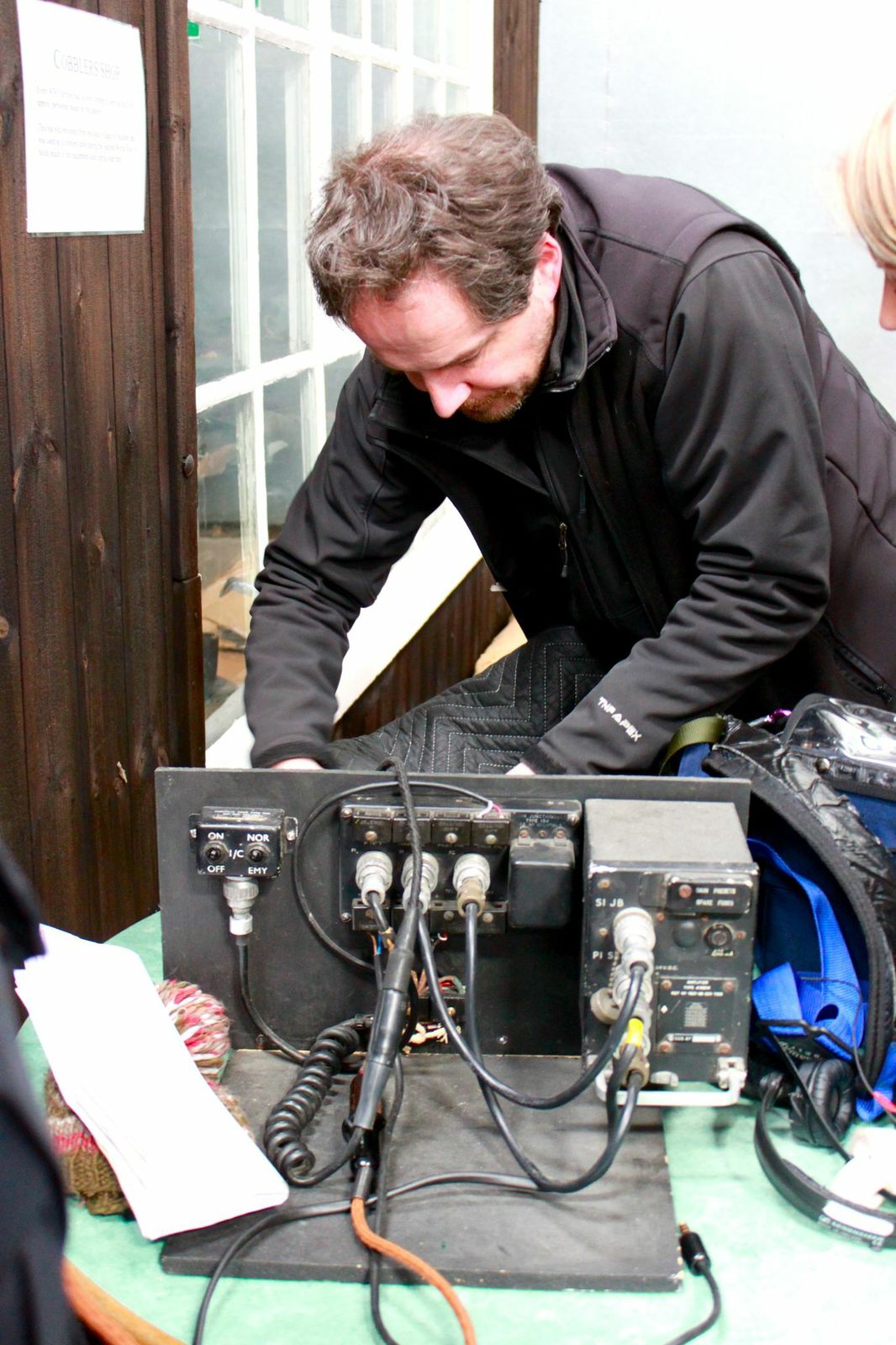
Original Lancaster Radio System
As we were setting up the cameras on Just Jane, one of the curators of the museum offered the director and I the chance to hear what the headsets would have really sounded like, as they had refurbished two full head sets with the original communications systems. It was such an amazing a distinctive sound - and it seemed too good an opportunity to miss - so whenever the camera team were setting up, one of the sound team would take an actor, and run though their entire dialogue, but recording the sound through the original head sets - here's a very brief example of my first test recording.


Huge thanks to Lindsay Smith from Lincoln university, who did a stirling job of helping me out on this job. And follow information about the lancaster bomber film on twitter @lancastermovie

April 22

G


Friday, 29 March 2013

BAFTA Craft Nomination 2013 - Sound Fiction


I'm still in complete shock about this, but I've been nominated for a BAFTA Craft Award in the Sound - Fiction Category for my work last year on the Accused: Mo's Story.

Well done to everyone who has been nominated - especially Michael Harrows and Gavin Finney, who I worked with on Mr. Selfridge last year, as they are thoroughly lovely people - as well as being very good at their jobs!

Well...the awards ceremony is on the 28th April, 2013 - better get a suit then!


G

29th March 2013


Monday, 11 March 2013

One Meter to rule them all...

Ever since owning my Teac 3340, I can always remember being fascinated with the VU metering compared to how loud something sounded to my ears; and even on the Teac 442 the section on metering in the manual for the early Tascam cassette 4 track was nearly as well thumbed as the section on bouncing down tracks. Digital meters behave so differently to the analogue ones that I grew up with, and it's somewhat reassuring that there are so many emulations of analogue meters for DAW's, even though the metering requirements for digital tracking can be so different. But then, it comes back to that quintessential question - do meters show you how loud something is?

How Loud is Now?

I suppose the first question to ask is how do we hear loudness - and the answer to that is (as far as I can tell at least) is not a simple one.

Robinson Dadson Loudness Contours.
Firstly, the ear is a non-linear device, and the frequency response of the ear is dependent on the volume at which we are listening; still the most common referenced work is by Fletcher-Munson, where as the work carried out by Robinson-Dadson in 1956 was carried out in a free field (i.e. without headphones) and has formed the basis of the most general standards - but in 2003 Suzuki and Takeshima have carried out further studies to propose a new set of loudness curves.

And that's just how loudness affects our perception of frequency - and it does show why we should set ourselves a standard, and repeatable, monitoring volume in our control rooms and headphones; so that we have the same frequency response whilst working (not withstanding ear fatigue). As for amplitude alone, our ears work in such complicated ways that we are sensitive to a massive dynamic range, and our ears can be equally damaged by a high volume transient, as long term exposure to a marginally high volume.

Analogue Kid

Not wishing to harp on about the "(good?) old days", but analogue metering was there to indicate the voltage level of the signal, with the knowledge that any rapid peaks within the system could be handled by the headroom / saturation characteristics of the equipment. The physical weight of the VU meter needle meant that it had a slow response time and that a very rapid spike would not be correctly measured on the meter - somewhat safe in the knowledge that the headroom of the electronics and saturation of tape could accommodate the spike - and even add character (dependent on the quality of the equipment); that was why so much was recorded in "the red". Also, this slow response of the needle essentially gave it an "integration" (averaging) quality, with a rise time of around 300ms, which is somewhat analogous how our ears hear things. One of the biggest problems of the VU meter was the lack of specifications, meaning that there was a massive variability across budget equipment.


A BBC PPM Meter

The PPM (peak programme meter) was (and still is) the professional (i.e. expensive) audio meter and has a different scale and response characterises compared to the VU meter: and a wide range of scales / ballistic options. In the UK, the BBC PPM meter was the format used for broadcast sound, and upon a first look had a very different scale  (1 - 7 with no units, but with a regular 4dB spacing between the gradations) and very specific ballistics.  But again, these meters would let through very rapid transient peaks (based on the assumption that the human ear could not detect very short duration distortion) - with PPM6 (+8dBu) being the "maximum" reading.


Digital World

So, how do a VU meter and a BBC PPM sit in a digital system and on a digital scale? For a VU - the zero point (marked as 0 VU (volume units)) was defined as +4dBu or 1.228 V RMS over a 600 Ohm load; for a PPM (BBC), PPM4 is defined as 0dBu. And thanks to Hugh Robjohns and the Sound on Sound Team, there is a great visual table that helpfully ties the various scales together with the dBFS scale of the digital domain - and in fact the whole SOS article from which this image is taken is a great read.

But what is clear now is that it's not just a matter of different scales and different units, but the ballistics of the meter to suit the job - as a VU meter or PPM will not respond quickly enough to respond to the needs of the digital system, as in the digital domain there is no head room; beyond 0dBFS there is only horrible digital distortion. What's worse is that even a sample peak programme meter (SPPM) - i.e. one that measures the amplitude of each sample, and is commonly found in all DAWs - is not sufficiently accurate. There may be signal peaks between between the base rate sample points that could be 3dB greater than the measured value. This image shows how a SPPM can under read the true peak signal levels - and this comes from an excellent article by Simon Pegg from Broadcast Engineering.


In fact, it was the testing of my meters by using a 12000.1 Hz tone (at a base sample rate of 48kHz) that sparked this blog entry off - and if you want to see how SPPM's can 'mis-read' a signal, carry out this test yourself. The above soundcloud file is three constant amplitude sine waves, one at 12000 Hz, one at 12000.1 Hz and finally one at 12000.5 Hz. Drop it into your DAW or edit suit running at 48kHz, and you'll see your meters displaying a varying amplitude even though the amplitude of the signal is constant. It's because the SPPMs are running at the base sample rate and 'missing' the peaks in the wave form - effectively seeing beating, as the sample rate and the test tone are a fraction of a function of each other. This video from eyeheight explains it really well.

True Peak and EBU R128

This under reading from SPPM means that when mastering up to 0dBFS, that these inter-sample peaks will be being clipped, and that for broadcast the actual transients will be beyond the specifications as identified by the broadcaster. So the ultimate digital meter is the True Peak meter (measured as dBTP) which over samples the digital signal to accurately measure the true peaks within the signal (these meters should adhere to ITU - R - BS1770, and should have 4x over sampling as a minimum). But - somewhat pragmatically - these inter sample peaks are so short, so can we really hear them? And perhaps a simpler solution is just to allow more headroom within our digital mixing.


And now for broadcast, we have a new loudness specification that (hopefully) all broadcasters will be adhering too - EBU R128, (Florian Camerer does as great job of explaining it all here), that introduces the concept of loudness normalisation (normalising to the average volume), instead of peak normalisation (normalising to the peak volume) and so allows us to maintain more dynamic range within the programme material. It (inevitably) introduces a new metering system (the LU - loudness unit), and specifies 3 parameters: 1 - Programme loudness and should adhere to -23 LUFS (this is an average loudness signal for the whole programme), 2 - Maximum True Peak measurement of -1 dBTP and 3 - A measurement of the dynamic range of the programme. What is great here, is that we are finally meeting (and indeed metering) to something akin to a loudness level, as well as a peak and a range.


I've been using an EBU R128 meter for about a year now (zplanes excellent PPMulatorXL), and it really has been a joy to use and work with. I still have my conventional BBC PPM meters in my final bounce bus, but now along with the EBU R128 meter. I find that it's only making small differences to how I work - but then I knew (hoped?) that I was producing mixes that were to specification and had  a good dynamic range; if anything at all, I'm more confident now that I can put louder peaks in there.

Ironically, through this investigation into metering, I found that the TP meter that is part of PPMulatorXL was not quite behaving itself (on a Mac running Pro Tools 10), but the guys at zplane are aware of this, have re-created the problem and are fixing it as I type. Thanks to Martin for his support from Zplane. And also huge thanks to the members of IPSNet (from the Institute of Professional Sound) who helped trouble shoot / explain things.

Please note: there's a lot of very techy information about meters - I've done my best to check that I understand things correctly, and indeed then explain it correctly here. So please read around the subject, and follow the links I've used to get to this point.

Right, back to my meters.

G
11.03.13


Monday, 11 February 2013

CPD - The IPS Training Weekend 2012


One of the many tricky things about being freelance, is the issue of training and continued professional development (CPD). So it's great that the Institute of Professional Sound run a yearly training course that brings together a range of sound practitioners, from a range of broadcast disciplines, and puts together a two day programme with experts and manufacturers that helps sound professionals develop and continue their training. This years course has just been held at the NFTS in Beaconsfield - suitably entitled Radio Ga Ga - and has covered the trials and tribulations of Radio Microphones.

Radio Ga Ga

The first sessions covered the terminology and theory of analogue and digital / digital hybrid radio microphones. Much of the terminology translates across the analogue / digital divide, but what was interesting was to see how the digital radio mic's fit into our analogue RF spectrum, and the potential interaction between the two systems. The recent Digital Switch Over (or "analogue switch off") in the UK has meant that we have far less spectrum available to us, whether we are working in the electronic handbag, on a drama trolley or a  reality / LE show that requires huge numbers of radio / IEM channels; so what has become essential is that we learn how to make the most efficient use of the available spectrum and our own / hired in radio equipment.

Meet the kit

The Lintec T Dipole
There was a wide range of manufactures and suppliers of radio mic kit present at NFTS, and it was great to be able to go and look, handle and listen to the kit that is currently available and see what is suitable for each application. There was radio mic equipment from Micron, Audio Wireless, Audio Limited, Sennheiser, Sony, Zaxcom, Shure, Lectrosonics and Wisycom. Lintec Antennas and Rycote were also there, as their products are key to the implementation of radio mic's.


Microns's Mini TX with Audio Control.


It was great to have such a range of kit to compare and contrast, and it was great to see in the flesh and ask the manufacturers / suppliers questions..highlights for me were the small transmitter from micron, the amazing flexibility of the Wisycom system, the build quality of the lectrosonics kit, the integration of the entire zaxcom kit (along with ability of the radios to record the audio pre transmission with timecode on a micro SD card), the un-companded sound of the Sennheiser digital mic and the T Dipole from Lintec - that's a specially designed antenna rig that clips onto the harness when working in the electric handbag.


Everything in it's place

Other specific sessions over the weekend covered microphone placement techniques (including a really good comparative listen to just how radio microphones sound when placed on a contributor, and that was one of the most enlightening experiences (huge thanks to Heidi there)), a dedicated look into frequency planning for events large and small (which showed how the DSO has really squeezed the radio mic allocation in BBC TV centre (and who to contact when using RM's there, and at other places)), specific details on the new digital radio mic's from various manufacturers, some insights into the black arts of RF and what to look out and listen for on location (and the JFMG is our friend), and then finally great Q and A with all the presenters which included a tech analysis of the radio mic's that had been brought along by the manufactures looking at their inter mod components, RM channel bandwidth for specific TX's and their masks (and if you don't know what those terms mean, then this course was for you)

And Finally

There's many snippets and gems of wisdom that I've come away with after this weekend's training, but I think for me there were three over-riding themes that should be shouted far and wide:

Firstly, both digital and analogue radio systems has pro's and cons,  but what became clear through out  the course of the weekend was that the best analogue radio mic's have now reached their performance limits, and that although there will 'always' be a place for analogue mic's, the future is looking very much towards digital systems.

Secondly, the value of meeting and talking to fellow practitioners. It's so rare we get to talk to other sound professionals these days, and it's invaluable to catch up and share knowledge. The coffee breaks and meal times offered shared wisdom and experience, just as much as the main sessions did.

And thirdly, if you are using radio microphone in the UK - really check whether you need a license; and if you do, bloody well get one.  The recent DSO has cost the PSME a huge reduction in available RF bandwidth, and this reduction will only continue in the future - and unlicensed users are making a painful rod for their own, and everyone else's, back.  With the recent consultation on WSD's , once again our radio spectrum is under threat, and if it does go ahead, the only way a device will know whether you are there is if you have a license registered on the database.  The JFMG offer a great service and support to RM users in the UK, and the cost of a license is negligible - and if you've not got one, it may just cost you your shoot.

A great course and weekend - when's the next one?

G
11 Feb 2013.


Thursday, 24 January 2013

Problems with the Zoom H2 Line Input


Small portable recorders have really established themselves on the market now, and my old Zoom H2 (firmware 1.90) is becoming a bit worse for wear. I've had it for a long time and found it to be an incredible useful device to have in my recording kit, even though I only think of it as 'consumer' as opposed to my 'professional' sound kit. That said, when used in the right way, I've got good recordings with it. I always combine it with my 302 or 442 mixer and have it running as a backup recorder when I'm running sound to camera - such that I have a 2 channel version of the mix (if not the iso tracks) incase there is a problem with the link to camera, or the camera itself.

The Nightmare before Christmas

Recently I was using the H2 (and 302 combo) to record some very dynamic sounds and I started noticing some audible clipping on the peaks on the headphone output of the H2 and something very odd about the meters on the H2 - they appeared to be limiting at about -8dB below full scale. So I did the obvious checks of the limiters on the H2 (they were off) and checked my limiters on my mixer and the limiting on the H2 was happening even before my limiters had kicked in on the mixer outputs. Something was not right.

I did all the usual checks, and the recording level was set to its usual value of '77', which aligns the input of H2 to match -18dB tone with the tape output level of the sound devices mixers. So all seemed fine technically, yet the meters seemed to be hitting some form of brick wall limiter and the audio was clipping.

Expect the unexpected

I returned home and started experimenting with the H2 and researching, and found something fairly gutting: when recording to the H2 Line input, the input level control does not alter the gain structure, but just shifts the recording range and "offsets 0dB" - meaning that it clips at a value less than 0dB. It's such a terrifyingly stupid concept and so fundamentally wrong, that I had to fully test it out to confirm what I was hearing. These tests were carried out with me speaking into a MKH60 mic and steadily increasing the gain until the output from the mixer +20dBu.

H2 Line Input Level 100
The first test is with the line level set to 100 (it's default setting): -18 dB does not correctly align, on the H2 meters, it correlates to about -12dB But you can see as the signal increases from the mixer, the recorder records all the way up to 0dB(FS); and essentially clips in the usual manner - but means that I'm (in essence) losing 6dB of recording range as this is now 'over' the range of the recorder and with any other recorder I'd just reduce the input gain, such that the range matched my analogue mixer.

H2 Line Input set to 77
Now the input recording level has been reduced to 77, which nominally lines up -18dB tone on the scale of the H2. Yet as the signal increases from the mixer, the recorder starts clipping the signal at about -7dB(FS). So, even though I've supposedly reduced the input gain of the recorder, it is now internally clipping the signal at about -7dB(FS) - and this clipping sounds much worse than that at 0dB with the internal limiters enguaged.

And as the recording level is reduced to 60, the effect is even more pronounced.

H2 Line Input set to 60


Pay your money / Take your choice

So now I have the dilemma of what to do, I've used the recorder for years for back ups and rarely had to dip into them and also those recordings have been much less dynamic than those I've made recently. There are two ways to work now to try and keep the H2 as a reliable backup: Firstly keep the recording level at 77, and to set the limiters on the Sound Devices Mixers to be cutting in before -7dB(FS) and so prevent the clipping with the H2. But this is then adjusting how I record just to suit the quirk of my backup recorder; which feels like the tail wagging the dog to me. Or Secondly, leave the levels at 100 on the H2 and let the internal limiters (which are not great) on the H2 stop the peaks that are beyond -6dB(FS) from the mixer - which to be fair would usually be few and far between. Neither is really ideal.

I think the simple answer is that I've got what I paid for, the £120 recorder is a consumer piece of equipment with flaws that I have to live with - but at least I know about them now. When (or if) I decide to use it again, I'll have to be very aware of the limitations.


G
13 January 2013

Tuesday, 23 October 2012

FreqFinder - The Must Have App for Location Recordists?

Google App Store
As we all know the "App" market place - be it on Apple, Android or any other operating system - has changed our lives and the way we use (and abuse) our smart phones / tablets. There are a vast number of music related apps - especially for the Apple market, but there are not that many that are designed for the location sound recordist; which, to be fair, is not that surprising as we are a fairly niche group to say the least.

So last night I was completely taken by surprise when the forum members of the Institute of Professional Sound highlighted a absolute "Must Have" App for location sound recordists and anyone who uses radio mics on location.

Freq Finder

FreqFinder (written by New Endian) is a nicely simple app that allows the user to enter the frequencies of radio channels and check for intermodulation interference across the channels. It comes pre programmed with the pre-set frequencies of the major radio mic manufacturers (both for the US and the UK - so lectrosonics, comtek, sennheiser, Audio and Micron) and allows the user to build up their own specific list of radios and check for intermodulation across the channels.

Ch38 Micron Explorer 100
In the UK an application like this is such a power tool, as Ch38 no longer has the pre defined channel list that the JFMG had set up in CH69, so it's much more of a free for all - as each manufacturer is trying to design their kit to make the best of the limited band width (for more rantings on that particular topic have a look at one of my previous blog pages).

Frequency Tables

Using FreqFinder with my fairly modest set up of Micron and Sennheiser radio microphone channels, was really straight forward. Freqfinder has preprogrammed into it (some of) the manufactures preset frequencies, so for the Micron explorer range it has the 16 channels that are standard for the Micron Explorer 100 series.

As I have the LCD range of microns, I'm not tied into this preset frequency set, so I have my radios pre programmed to number of inter mod free frequencies - but I can programme in an equivalent table  into FreqFinder to match how I'm working - and it should make it much easier check frequencies when working with equipment from different manufacturers and other recordists.


JFMG Shared
Practical use of the app.

This is very much a "first look" at this app and I've not had time yet to use it in in the field with my radios or in difficult RF environments. But something has made me query the accuracy of the app.  The JMFG have suggested a number of frequencies for shared use in CH38 that should be intermodulation free. Putting these frequencies into FreqFinder showed that there were intermodulation 'hits' on most of the frequencies - but practically I'm not sure yet what this means. When I get chance (probably later this week) I'll try and actually use the app in conjunction with my radio mics and see exactly what the practical implications of the information that it presents.

For those of us in the UK, be aware though that the TV channel number refer to the USA frequencies...so it can be a little confusing! The App costs £18.99, and may seem expensive, but I think the capabilities of a tool like this make it a price certainly worth paying.

23rd October 2012

G


Sunday, 21 October 2012

Buying, Selling and Prevaricating

As I do a little bit of lecturing for Lincoln University, one of the most common questions I get at the end of lectures, or by email, is with regards to buying equipment. Inevitably when starting out, money is very tight, but I always quote the axiom of "Buy Well - Buy Once". And more often than not advising people against buying a mediocre recorder (which is more often than not what I'm asked about), but to buy a good second hand mic (either a sennhiser mkh 416 or mkh 60 with full rycote) and to buy a good second hand small mixer (more often than not a sound devices 302).

All about the Pre-Amps

Tristan Ofield and I did some very non scientific tests a couple of years ago, to try and find the weak spot in his recording chain. He had a beyerdynamic shotgun mic and one of the Zoom H4n recorders, and he was having a problem with the amount of hiss on his recordings. I've had a Zoom H2 pocket recorder that I carry round with me as an ultimate backup / emergency recorder, but I'd been actually quite impressed with the noise floor - but the key thing was that I was using a 302 as the pre amp. We played about swapping microphones over (and both the sennheiser mics (416 and 60) did have a lower self noise compared to the beyerdynamic), but it really became so clear just how important those microphone pre-amps are, as it gets the signal into the recorder at line level - giving a reduction in the noise floor, and the huge benefit of the incredibly smooth limiters that can prevent digital distortion.

Buy Well - Buy Once

And I'm starting to realise that I really should start to listen to my own advice. I've had a very busy year, and it has meant that I've had to invest a (more than) fair portion of my earnings into kit, and I'm starting to realise that I'm now in the position of replacing kit that I bought when I started out - as the original kit simply not good enough. The first location mic I bought was an ME66 (and I also had a ME64 module) and when I sold it a couple of years ago I really was pleased to get rid of it - as I had just come to hate the sound of it. And I'm not even going to mention the Sony WRT805 radio mics that I bought, that were truly, truly useless. I'm currently in the process of buying an MS stereo MKH 50 / 30, as I've never really taken to the sound of the pearl stereo mic (the MSH10) that I own (see blog entry) - and the huge advantage with this new set up is that it gives me an MKH 50 to use on interior dialogue, and I can change the nature of the stereo image by using a MKH 60 as the M element, which can be incredibly useful when working on documentary (nice tight M mic with the 30 as the S mic to provide a nice stereo fill).

Retail Therapy

I'm currently looking at buying a very simple / portable audio interface that I can use with my new shiny MacBook Pro for the simpler playback requirements that we get asked to do on location. And this time I'm determined to Buy Well and Once. I've been looking at getting a cheaper and simple interface (something like the Focusrite Saffire 2i2, but why don't I put this money into buying a high quality one (Apogee Duet 2) that I can actually use as an additional to my Digi 003+ rack in the studio - especially now that Pro Tools 10 allow aggregate interfaces, and works with different manufacturers. And the quality of those pre amps and converters will be brilliant....but do I really need this for a playback rig.... But then....neither of these have a MIDI interface....and then I've just seen that Apogee Quartet....and that has a USB MIDI input.....sorry where was I? I think I need some advice about buying kit - do you know anyone?

G
21st October 2012

Thursday, 4 October 2012

Experiences with CH38


In the UK this year, we've been in the process of switching over our radio frequencies used for PMSE (Programme Making and Special Events) from channel 61 - 69 (790 - 862 MHz) to channel 38-40 (606.500 - 613.500 MHz). With access to channels 61-69 completely stopping in the end of 2012.

There's been plenty of posts and discussions about the politics of this switch over, but I've not read very much about the real world examples of switching over, and the experiences. So I thought I'd summarise what I've been through in the past year, whilst working on two big television dramas (Accused and Mr Selfridge) that required multiple radio microphones sets ups.

Allocated Frequencies

In the UK the radio frequencies for radio microphones are well co-ordinated by the JFMG. For Channel 69 (the old channel that was regularly used for location recordists) there was a set of 14 frequencies that were available to use and share within the channel, and various sub-sets of which were intermodulation free. This meant that it was fairly straight forward to get 7 or 8 radio channels up and running together, where ever you were and whatever brand of radio mics you owned; as each manufacturer made sure that at least some (if not all) of these listed frequencies were available.

In the migration to Ch38 (the new channel for the shared frequencies) the decision has been made by the JFMG to not specify the frequencies available within this channel - the reasoning being that its now possible for different manufactures to design their products to fit in more intermodulation free frequencies. Even though the JFMG has a list of suggested frequencies for Ch38, this means that each  manufacturer has a different frequency list...and suddenly it has become a lot harder to work with different equipment.

Complete Flexibility

Realising this, it made sense to purchase a radio mic system that was completely tuneable to any frequency, such that it would be possible to adapt to any combination of radio microphones and to set up the radios so that they worked in whatever situation. Most manufacturers now offer some radios that are completely tune-able, but each still have their own list of recommended intermodulation free frequencies. I'd been a user of micron radio microphones for a number of years, I decided to carry on using them, especially as they were now offering a tuneable LCD controlled set. I've a set of four of these now, that are set up in a pair of DDH3 racks with a pair of dipole aerials.  (I'm not going to review / comment on the radios themselves here...but may do later as I've found pro's and cons to them).

On the drama Mr Selfridge this year, it's been necessary to have a large number of radio microphones - up to eight on certain scenes, so this meant hiring in additional microphones to my complement of 4 in Ch38 and 2 in Ch69. So I naturally hired in microns...only to find that the hire company had changed the set of intermodulation free frequencies from the standard micron set. If I had not opted for a flexible system, this would have been a huge stumbling block as the two sets of frequency tables did not have any common frequencies (see the table below - micron specific is the standard set, micron modified is the set that came with the hired microphones). For info, the numbers in italics are the memory locations that I've set up within the micron LCD Rx and Tx, so that I can now swap between the standard frequency set, the 'modified set' from the hire company and the JFMG shared frequencies.


Ch 68: Licensed
Ch 38: Licensed
Ch 38: Licensed
Ch 38: Licensed

Micron Modified
Micron Specific
JFMG Shared
Ch 69: Licensed
606.125
10
Micron A
606.125 A

606.600
0

854.900
Senn Tx 2
606.500
11

606.675 N

607.500
1

855.275

607.250
12
Micron B
607.375 Y

608.150
2

855.900

608.750
13
Micron C
607.925 B

609.150
3

858.650
Micron 2
609.625
14
Micron D
608.300 C

609.950
4

860.400

610.550
15

608.900 D

610.550
5

860.900
Micron 1
611.250
16

609.325 P

611.250
6

861.750

612.300
17

611.825 E

612.300
7

Ch 70: Un licensed
613.150
18

612.300 F

613.150
8

863.725
Private Comms
613.500
19

613.000 H

613.500
9


613.525 T


613.850 M


Ch 38 Itself

I've been using channel 38 since November 2011, and I've had mostly successful experiences but there does feel to be a definite difference to channel 69 - although I can't objectively quantify these feelings! My gut feeling is that the range is not quite as good, but this may be because of the ever increasing RF signals that as flying round set, from the wevi, the walkies, mobile phones, remote focus controllers and even the remote control for the smoke machine.

I'm also finding Ch38 to be more unpredictable that ch69 was. Previously, once a set of frequencies were up and working with a set of 4 or more radio microphones, this would remain to be the case - not withstanding location anomalies. But with Ch38, I can frequently find that one of my regular 4 radio channels will start under performing, with reduced range, increased background noise / compansion artefacts - a change of frequency usually sorts this out - but often this can be as quick as from one shot to another. It can be quite frustrating.

4 October 2012